IAM operations · Working portfolio project
An IAM troubleshooting lab. A practical work sample.
Investigate access problems using tickets, identity data and business context. I built the simulator and connected it to my own Microsoft Entra lab tenant for read-only checks.
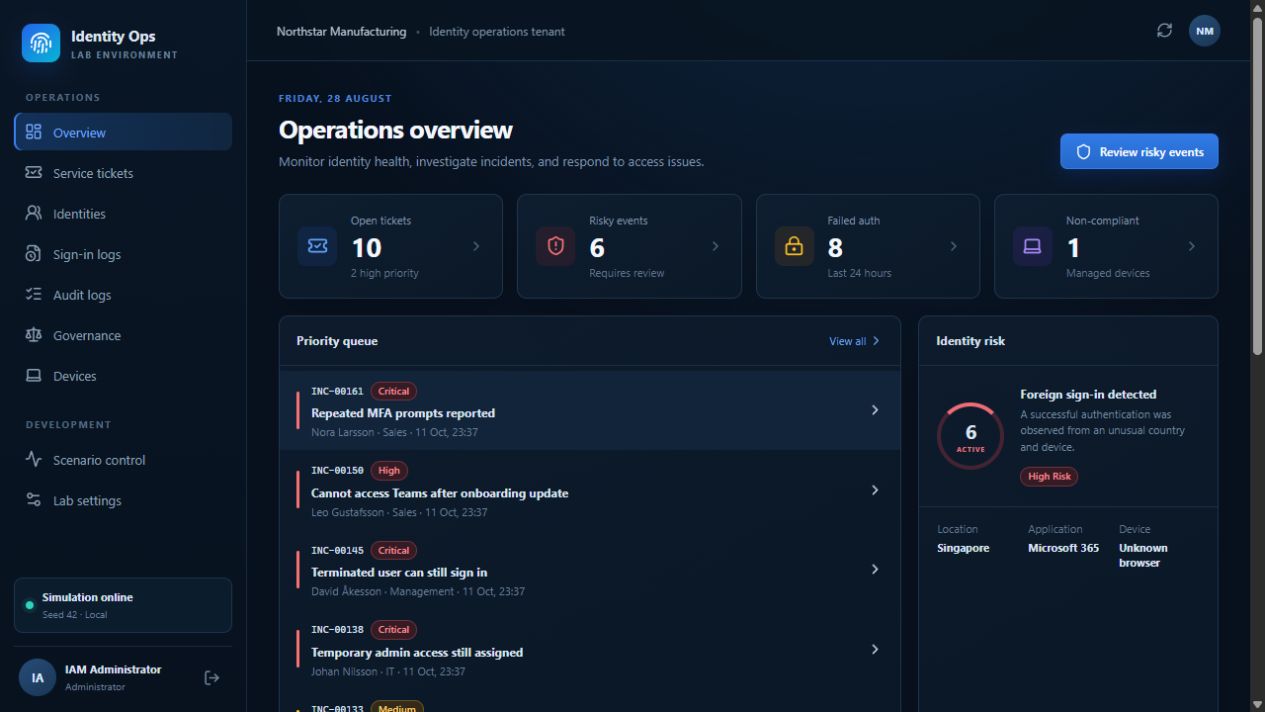
One case: Emma loses FinanceApp access
The evidence and decisions behind the demo.
-
01
Locate the failure
Check the sign-in evidence, account state and application access.
-
02
Confirm the business need
Compare Emma’s role with the request. Ask the access owner to confirm the required access.
-
03
Check the real assignment
Check FinanceApp in the Entra portal and restore only the approved assignment.
-
04
Verify and explain why
Test the outcome, trace why access disappeared and record a prevention step.
The scenario’s root cause: an HR cost-center change from FIN-OPS to FIN-SHARED triggers a lifecycle recalculation that removes the app assignment.
Cases you can investigate
- Missing app accessFind why an employee can no longer open a required app.
- Access left after a role changeCheck whether old permissions still match the new role.
- An account still active after leavingTrace why the offboarding workflow did not disable it.
Simulation + real identity data
The lab and Entra have separate jobs.
The lab reads identity data through Microsoft Graph. You make changes in the Entra portal, then read again.
Personas, tickets, HR context and scenario sign-in and audit logs. Simulated.
Tenant users and groups, linked account status and explicitly mapped app assignments. Read-only Graph.
Actual app access. Tested separately through a real sign-in, not inferred from an assignment.
Entra verification and current limits
On 13 October 2026, Graph returned Emma’s FinanceApp assignment and enabled account status. The app required assignment. That check verified tenant data only. The demo shows a separate real sign-in test: access is denied before the assignment and succeeds after it, using the same test account.
Simulator access stays separate from tenant evidence. An optional FinanceApp browser test checks real access, which also requires an active app account through SCIM. The simulator runs without a tenant; connect only the users and apps needed for a case.
Inside the implementation
Rules check access. AI adds conversation.
Scenarios create linked tickets and evidence. The backend checks current access and whether the case is ready to close. Ollama can generate persona replies; it does not decide whether access works.
React interfaceFastify APITypeScript servicesLab state and audit trail
Explore the components and closure rules
- Scenario engine → linked ticket
- Activating a scenario changes a local employee’s state and creates a linked ticket with supporting sign-in or lifecycle evidence. The ticket keeps a link to that scenario.
- Access engine → repeatable checks
- Rules evaluate account, MFA, device, group and application state. A retry evaluates the current state and records a result; it is not an AI guess.
- Persona engine → conversation
- Employees answer from their lab context. Optional local Ollama adds generated replies, with scripted fallback. Access tests and closure remain rule-based.
- Graph connector → external evidence
- Read-only requests inspect tenant users and groups, map personas to users, and refresh linked account status. Only explicitly mapped apps get an assignment check, with a read timestamp and an unknown result if the read fails. It does not copy them into simulator access.
Inside the running app
See the identity, the risk and the history.
These screenshots come from the running simulator. Open any image to inspect the details.
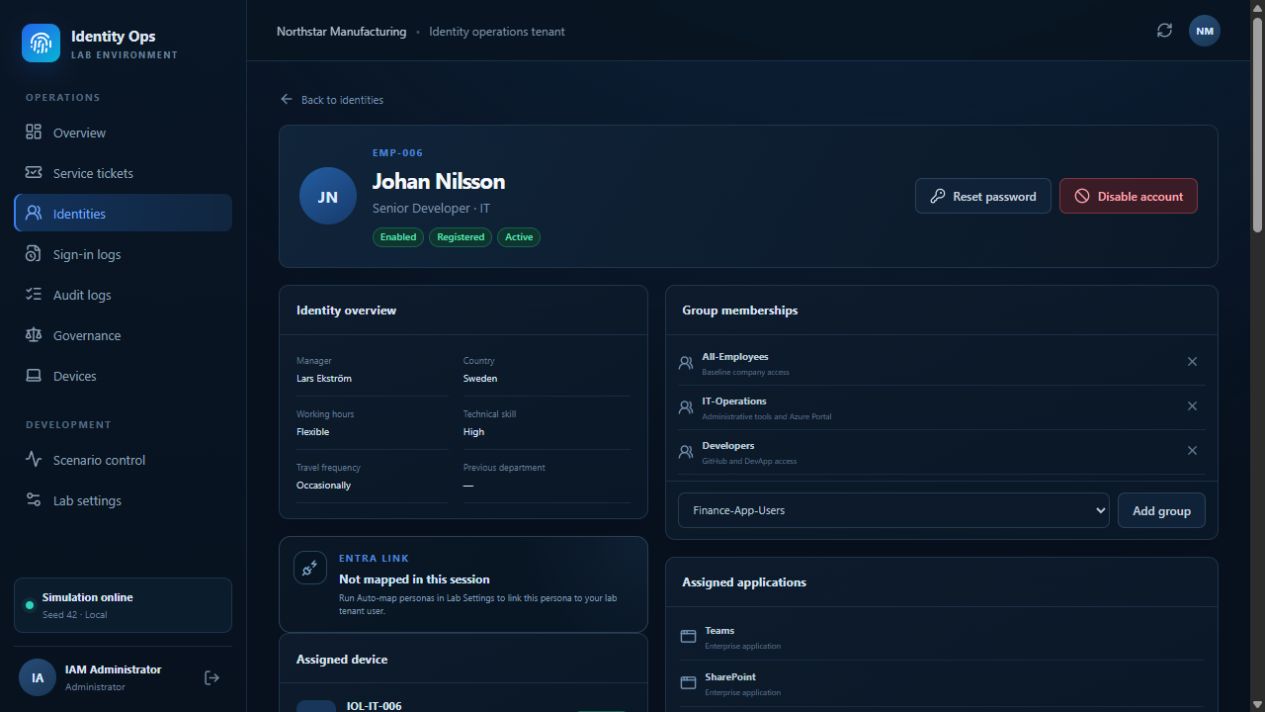
Identity context
Who should have access?
Compare account state and current access with the employee’s role and business context.
Employee profile · Simulated data
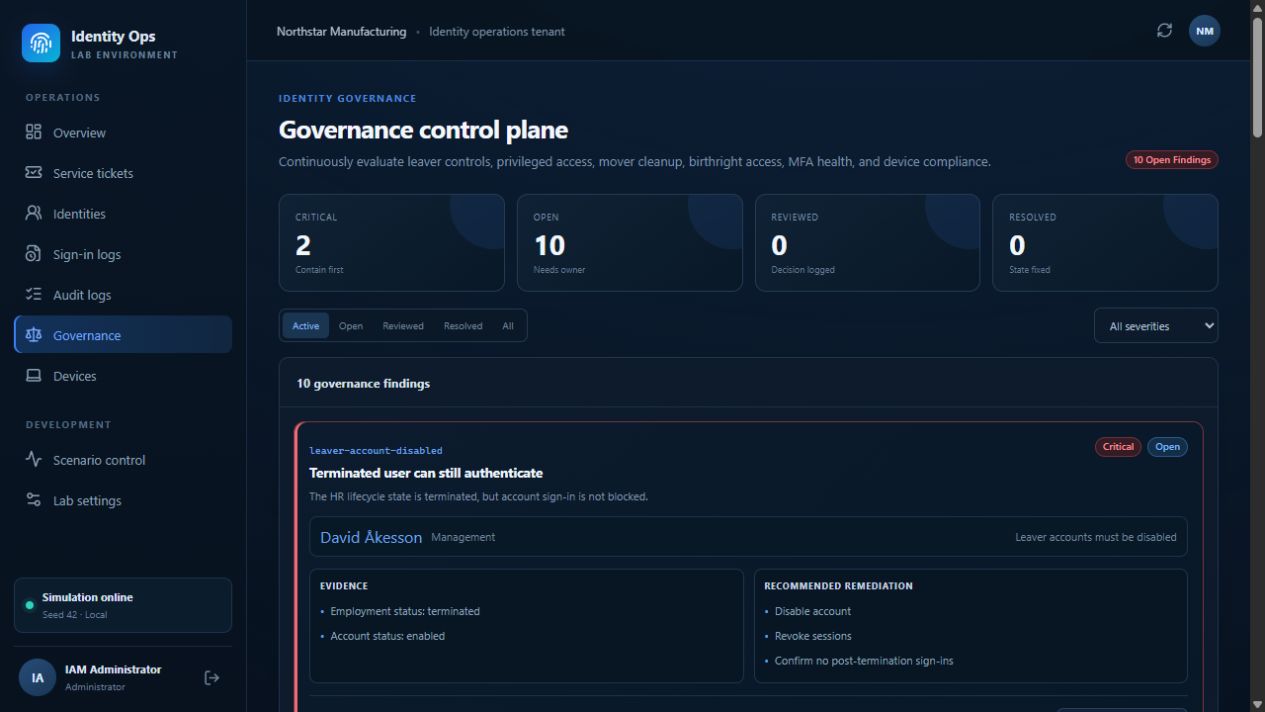
Governance
Where do controls fail?
Investigate leaver accounts, stale privileges and access left behind after role changes.
Governance findings · Simulated data
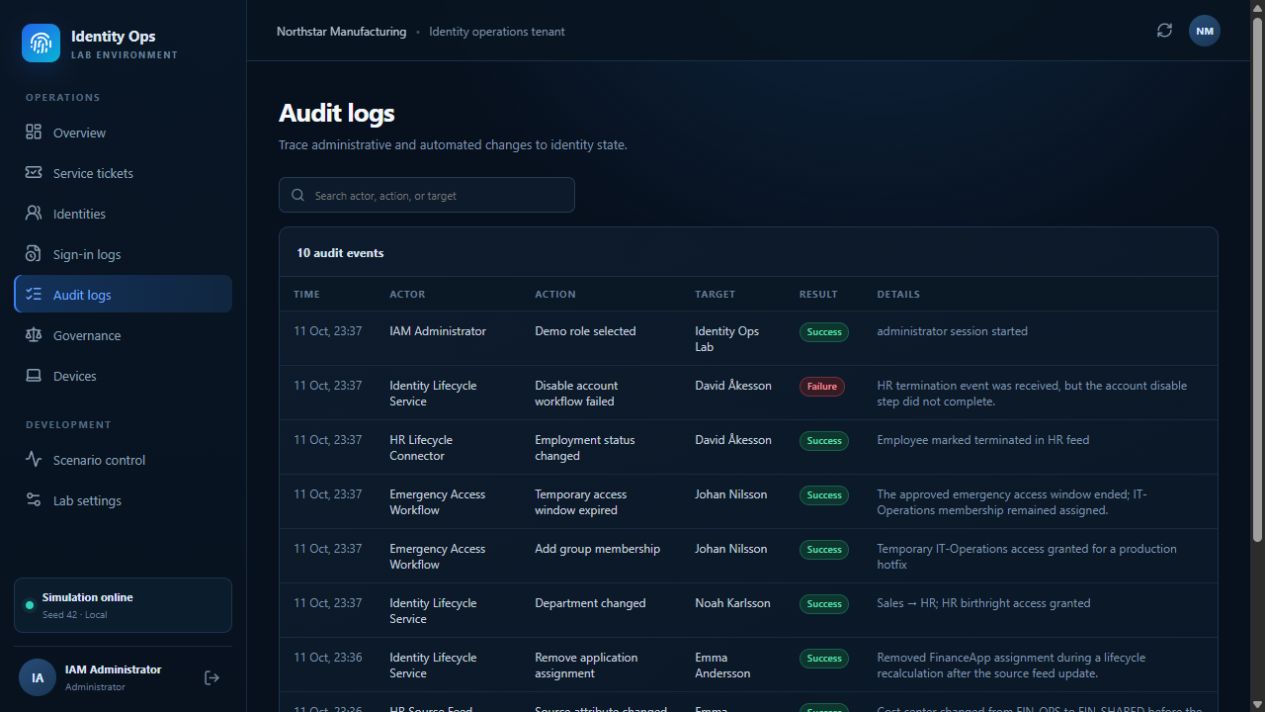
Lifecycle history
Why did it happen?
Trace the events behind the issue and document what needs to change to prevent a repeat.
Audit trail · Simulated events
Watch the investigation
From a blocked app to a verified outcome.
Follow Emma’s FinanceApp case from investigation and owner approval to a manual Entra assignment. See real app access fail before the change and succeed after it, then review the simulated lifecycle cause.
Full walkthrough · Microsoft Entra lab tenant + simulated case context
Watch on YouTubeThe person behind the lab
Built by Andreas Krisby.
I’m working toward my first IAM role. This project shows how I approach access investigations, connect business context to permissions, and trace the lifecycle events behind a problem.